
Rural & remote connectivity
Starlink vs 4G/5G: Which Is Better for Rural & Remote Sites?
Compare Starlink and fixed 4G/5G for rural properties and remote sites, including signal, installation, performance, costs and backup connectivity.
The quick answer
Choose between Starlink and 4G/5G by testing what the site can actually receive and deciding what needs to keep working. A strong mobile connection may be the simplest primary service. Where mobile coverage is poor but there is a suitable view of the sky, Starlink can be a practical alternative. Critical sites may benefit from both.
The useful comparison is the complete installed system: incoming connection, mounting or antenna, router, local network and support. Two properties using the same broadband package can have very different experiences because those other parts differ.
Illustrative options. A second service is useful as backup only when routing, independence and recovery are planned and tested.
Start with availability at the actual installation position
Mobile coverage maps are a useful shortlist, not a site acceptance test. Compare the networks available around the property, then investigate usable positions indoors and outdoors. A phone working beside the gate does not prove that a router inside a metal workshop will work equally well. Equally, poor reception in the office does not rule out an external antenna or outdoor router.
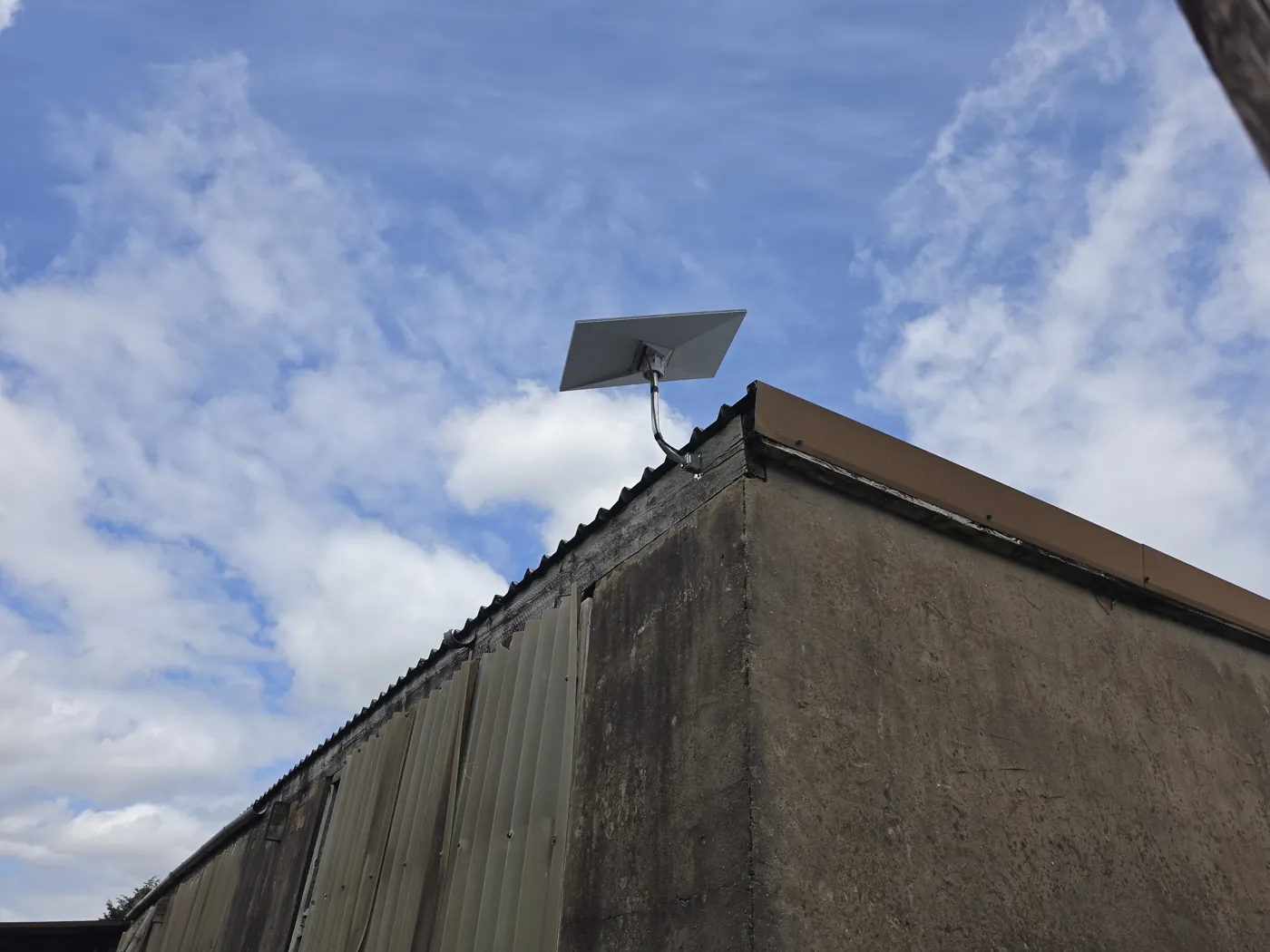
Starlink needs a suitable installation location with the required view of the sky. Nearby trees, rooflines and other obstructions can interrupt that view. Assess the proposed position with Starlink's obstruction tools before choosing the mount and cable route. A postcode showing availability does not prove that a particular roof position is suitable.
Our approach to rural internet design starts with these physical constraints, alongside the property's usage and available fixed broadband options.
How the options compare
| Decision | Fixed 4G/5G | Starlink |
|---|---|---|
| What must be available? | A usable mobile network at a viable router or antenna position. | Service availability and a suitable unobstructed sky view. |
| External equipment | An external antenna or outdoor router may help, depending on the site. | An outdoor terminal, secure mounting, power and a cable route. |
| Performance | Depends on signal quality, spectrum, router capability and network load. | Depends on service conditions, local demand, obstructions and installation. |
| Temporary deployment | Often practical with a tested network and suitable equipment. | Possible where hardware, location and current service terms allow it. |
| Backup role | Can back up a fixed or satellite connection. | Can provide an alternative path to a fixed or mobile connection. |
Compare busy-hour performance, not the best speed test
Download speed is only one part of the decision. Video calls, remote desktops and cloud software also depend on latency, variation in latency and packet loss. CCTV uploads, file transfers and cloud backups may place more pressure on upload capacity than expected. Write down those requirements before comparing equipment.
For mobile broadband, signal bars do not describe everything the router receives. Signal strength, signal quality and interference are different measurements. A strong but heavily contended connection can be less useful than a quieter connection with a lower headline speed. Test plausible networks at relevant times, including when the site is busy.
Avoid assuming 5G must outperform 4G at every location. Equally, do not select Starlink from someone else's fastest result. Ask what throughput and responsiveness are realistic at this site, what remains uncertain, and how performance will be checked after installation.
An external mobile antenna can help, but placement matters
An external antenna can avoid some of the attenuation caused by a building and access a more favourable signal position. A directional antenna can suit a known useful direction; an omnidirectional design may suit other conditions. Neither should be selected solely from the largest gain figure on a product page.
Antenna compatibility, frequency support and cable loss all matter. Long coaxial cable runs lose signal, so moving an antenna higher is not automatically an improvement if the cable arrangement cancels the benefit. An outdoor router with an Ethernet connection back into the building may be another design option.
Professional 4G/5G internet installation therefore includes network assessment and hardware positioning, alongside router configuration and integration. It is more than inserting a SIM and placing the router wherever there is a spare socket.
Starlink still needs a considered installation
A suitable terminal position must also have a secure mounting arrangement and a practical route to the internal network. Consider access for maintenance, future tree growth and the effect of nearby construction. On a working site, the best temporary position may become unsuitable once cabins, scaffolding or buildings move into place.
Weather can affect satellite performance, while wind also makes mounting quality important. That does not make Starlink unsuitable for exposed locations; it means the design should follow the relevant equipment guidance and recognise environmental conditions. Avoid presenting any wireless service as weather-proof in every circumstance.
A complete Starlink installation should also address how the connection reaches the office, accommodation, workshop or yard. Good reception at the terminal will not fix poorly designed Wi-Fi elsewhere on the property.
Check business applications and remote access
Confirm whether the site uses an employer VPN, remote CCTV, hosted telephony or equipment that needs inbound access. Service plans and network address arrangements can affect these applications. Some connections use carrier-grade NAT, which means traditional inbound port forwarding cannot simply be assumed to work.
Choose a router and management approach that fit the project. Useful capabilities may include Ethernet, appropriate firewall rules, secure remote management and a suitable pass-through or routed configuration. An integrated solution should have clear ownership of credentials and a documented way to investigate faults. Brand choice comes after these requirements, not before them.
Use both when continuity justifies the extra system
A hybrid design could use Starlink as the main connection and mobile broadband as backup, or reverse those roles if cellular performance is stronger. The router must monitor whether the active internet path is usable, switch appropriately and return to the preferred service in a controlled way.
Owning two connections is not the same as having automatic failover. The design needs compatible hardware, health checks, traffic priorities and a tested fallback. Ordinary failover can interrupt active calls, VPNs or other sessions when the public connection changes; uninterrupted session continuity requires additional design and should never be assumed.
Also consider shared dependencies. Both links can still fail if the same router or power supply fails. Backup internet planning should match the business's tolerance for downtime, including which applications must remain available and which can wait.
Choose around the property and the work
These questions shape our work on farms and remote properties and construction site connectivity. A small site office and a multi-building estate may both need rural internet, but they need very different local networks.
- 01
Rural home or estate: assess working-from-home requirements, guest use and separate buildings before deciding how much capacity and resilience are needed.
- 02
Farm: map offices, barns, accommodation and cameras. Getting internet onto the farm and distributing it across the farm are separate design tasks.
- 03
Construction site: consider the programme, changing obstructions, temporary power, security and whether equipment needs to move between phases.
- 04
Remote commercial site: define essential applications, support access, response arrangements and the consequences of a lost connection.
Compare the total system before choosing
Compare installation, mounting, router or terminal, antenna where needed, local networking, support and recurring service charges. Check current data allowances, traffic policies, contract terms and permitted locations or mobility with the provider. Do not assume that a consumer package fits every commercial or temporary deployment.
Choose cellular when site testing supports it and the required applications work well. Choose Starlink when its installation conditions and service offer fit better. Choose a combined design when the operational benefit of a second path justifies the cost and complexity. If neither assessment is convincing, revisit fixed connections or an alternative backhaul rather than forcing a product onto the site.
Have a property that is difficult to connect? Tell NEXTWAVE about the buildings, current service and work that depends on it. Those details make it possible to assess practical options and design the network around the problem.
Technical references
Primary documentation supporting the design principles in this guide. Equipment examples do not imply a preferred brand or affiliation.
- Ofcom: Map Your Mobile coverage guidance
- Teltonika Networks: Understanding mobile signal measurements
- Starlink: Obstructions explained
- Starlink: Service specifications
- Starlink: Site-to-site VPN and SD-WAN compatibility
- Teltonika Networks: Starlink failover configuration
- POYNTING: Antenna alignment and cable-loss considerations